
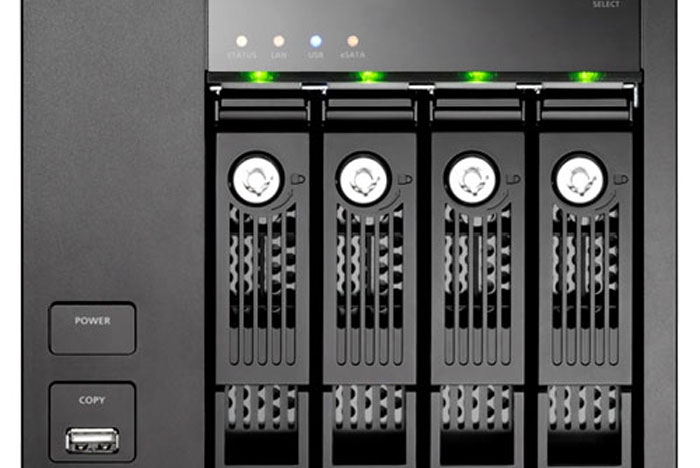
From Wikipedia : A NAS unit is a computer connected to a network that only provides file-based data storage services to other devices on the network. Although it may technically be possible to run other software on a NAS unit, it is not designed to be a general purpose server.
NAS vs SAN
NAS provides both storage and a file system. This is often contrasted with SAN (Storage Area Network), which provides only block-based storage and leaves file system concerns on the “client” side. SAN protocols are SCSI, Fibre Channel, iSCSI, ATA over Ethernet (AoE), or HyperSCSI. Despite their differences, SAN and NAS are not mutually exclusive, and may be combined as a SAN-NAS hybrid, offering both file-level protocols (NAS) and block-level protocols (SAN) from the same system. Considering I’m writing for home-users, a NAS makes more sense.

With the amount of data many photographers (and users) are generating, it’s become obvious that storage is a problem. For casual users, it probably may not be a problem in the beginning but it soon will be. I know of friends who after a few years, a kid or two and the amount of photos, videos, music, documents, scanned PDFs, etc start to add up to gigabytes. Burning to DVD (gosh, who burns CDs today?!) can alleviate some of the problem but with 4.5Gb (dual layer disks aren’t common as they’re not so cost effective), it’ll take a few DVDs for the average persons’ backup. Worse still, those DVDs may not be readable after a few years. A friend of mine burns two discs for each copy — and 3 years later found out that some are not readable. Good thing he had two copies as he’s managed to combine them to even out things so no loss occurred. So, he consolidated the storage. Where? Good old spinning platters. With the falling prices of hard drives, it’s a no brainer that disks are still the most reliable, cheap and effective storage for backup for most users today (most users here I mean home and small business perhaps). Reliable? Yes, if you have two disks and you replace them religiously every 36-months. That’s what I do. The benefit is that you’ll end up having larger disks too. My backup server has 1TB disks now. It started out with 160Gb and 250Gb disks (two pairs) for a capacity of 450Gb. My data very important to me so I change disks every two years. I then went to 320Gb and 500Gb (still two pairs) and now, I’ve got four 1Tb disks plus a pair 500Gb disks (these store my music, video and misc files). They’re going to 1.5TB disks soon (best price per Mb).
The problem is usually, you won’t want your backup server running non-stop. Mine’s on a UPS along with my network, and more but most casual users also don’t need access to their backups every single instant. They also normally don’t have another spare machine lying around. In many organizations today, they use the term near-line storage for things that can be retrieved faster that tape but slower than current online storage. Of course big organizations use fast disks arrays for online and slower and usually SATA disks for near-line storage. In my case, I’ll call my storage server near-line because it may not have been started up. Where’s my online storage? Well, it sits on a NAS, a QNAP TS-439 Pro. This is a bit too much for most home-users (they can go with a TS-210 or TS-219) instead. I’ve a RAID 5 set of 500Gb disks in there, giving me just under one Terabyte of available storage. It makes a good always on file-server, repository and immediate backup (Downloader Pro immediately makes a copy of my photos there). When time comes, it gets rysncd to my near-line storage server. The reason I got the 439 Pro was because it was on promotion. It’s been replaced by the Pro II (better CPU) and was the same price as the 419P. To me, the benefits were the faster (compared to 419P) CPU, and larger RAM (1Gb 439 Pro compared to 512Mb on the 419P) which translates to faster transfer speeds. The 439 Pro also has the memory on a SODIMM which means I can bump it up easily to 2Gb. QNAP’s disty over here still has a few units of 439 Pro if anyone is interested.
So what’s for the average home user? Well, if you have more than one computer in the house, would like to share some storage, do some backup, stream iTunes around the house, etc, then any one of these NAS units over here, here and here would serve you well. You’ll also notice that I’ve avoided any form of single drive device. That’s because most home users “think” that once it’s backed up, it’s going to be safe. Two drives are always better than one. If you’re on a tighter budget, get a pair of USB drives. Seagate or WD are good options. Just buy two and make sure your data is identical on each one. And, yes, please store them in separate places — at least a different room. My storage server and NAS are three walls and fifty-feet apart. Note: RAID does not prevent idiotic errors like deleting your only copy of the most important file or photo you ever have — the array isn’t going to care and will promptly erase all for you. In my case, well, I can still go back to either my storage server (100% read-only) or desktop.
My choice of 4-bay, well it’s more for RAID 5 as I’m using older disks for it (i.e. the ones retired from my storage server) so it’s good to have RAID5+1. RAID 5 capacity is (n-1) resulting in the available space of two disks, i.e. in a RAID 5 set of 3x500Gb, I get 2x500Gb usable. The +1? That’s the hot-spare in case something dies which is for the paranoid like myself. If you go with plain RAID5 on my setup, you’ll have 3×500 resulting in a usable 1.5TB.
I’ll post again why I chose the QNAP NAS plus a mini-review… I’ll stop here… more to come while I leave you with a pretty picture of my network appliances 🙂


